


A few weeks ago, Microsoft began hardening RDP connections by allowing only signed .rdp files and displaying a warning if a connection is to be established via an unsigned connection file. A message like this will appear:
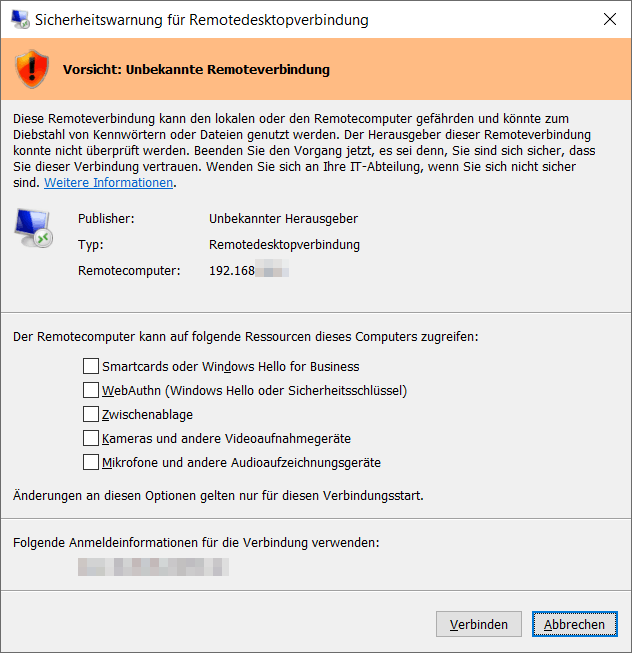
For those who currently need the RDP connection but cannot or do not want to deal with the topic of signing, there is a workaround – however, Microsoft has already announced that this will be removed in future Windows versions.
A single adjustment in the Windows system registry is sufficient. In networks, you can roll out this change for all users via a Group Policy (GPO):
In the registry key
HKEY_LOCAL_MACHINE\SOFTWARE\Policies\Microsoft\Windows NT\Terminal Services\Client, create a new DWORD 32-Bit value named RedirectionWarningDialogVersion with the hexadecimal value 1.
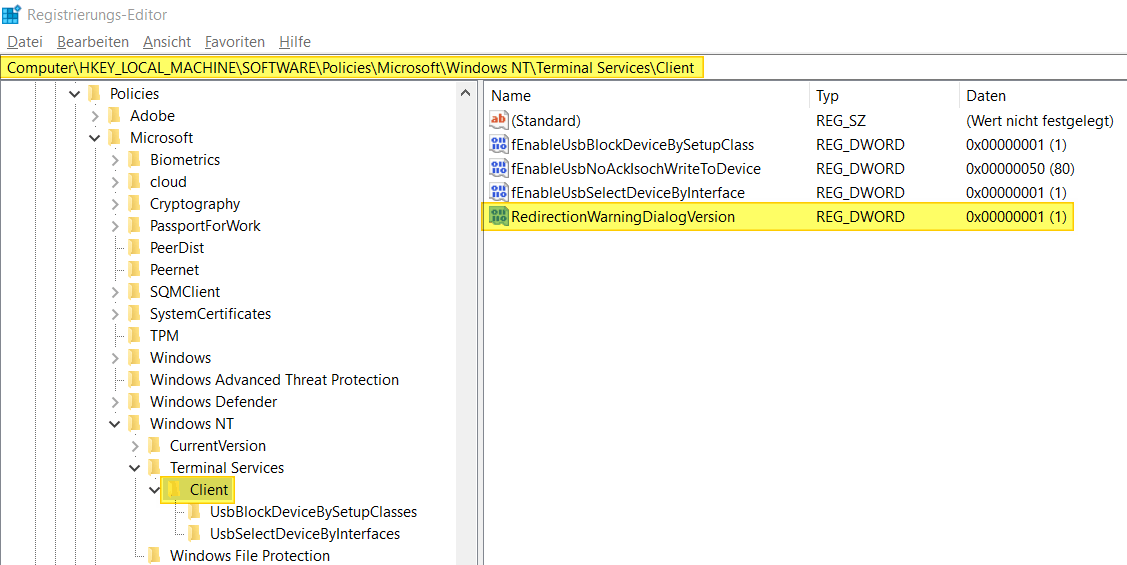
A restart or logoff is not required afterwards; the change takes effect immediately and connections will again be established without the warning. Keep in mind that this may reduce your security, as it bypasses Microsoft’s hardening measure.